
A seed phrase is a set of words that can restore access to a crypto wallet. It is also called a recovery phrase or mnemonic phrase. For a self-custody Bitcoin wallet, it is not just another password. It is closer to the root backup of the wallet.
That is the beginner trap.
A password feels like something you can reset. A seed phrase often does not work that way. If you lose the wallet app but still have the phrase, you may be able to restore the wallet. If someone else gets the phrase, they may be able to restore the wallet too. If you lose the phrase and lose the wallet, there may be no company, bank, or support desk that can put the access back together.
This article will not show a real seed phrase. Any example you see here is deliberately fake and must not be used in a real wallet.

A seed phrase is the backup you keep offline, not a phrase you casually store in an app.
What a Seed Phrase Means
A seed phrase is a human-readable backup created by many self-custody wallets. It usually appears as a list of words during wallet setup. Some wallets use 12 words, some use 24 words, and some use other recovery systems. Always follow the current instructions from the wallet you are actually using.
A fake example might look like this:
word-01 word-02 word-03 ... word-12
FAKE EXAMPLE ONLY - DO NOT USE
Those are not real wallet words. They are only a placeholder to show the shape of the idea.
The important part is not the number of words. The important part is what the phrase can do. In many wallets, the seed phrase can recreate the wallet's keys and addresses. That means it can be used to recover the wallet on a new device or in a compatible wallet.
So the simplest definition is:
A seed phrase is a wallet recovery backup that can restore access to the wallet.
Seed Phrase vs Password
A password usually protects an app, device, or account login. It is a gate in front of something.
A seed phrase is different. It can be the thing that rebuilds the wallet itself.
Imagine a front door key and a factory blueprint. A password is more like the front door key. It may unlock the app on your phone. A seed phrase is more like the blueprint that can recreate the whole set of keys.
That is why a wallet password and a wallet's recovery phrase do not deserve the same treatment.
You might type a password into the wallet app to unlock it. You should not type your seed phrase into random websites, messages, search results, browser pop-ups, or people claiming to be support staff.
If a wallet password is lost, the recovery phrase may help restore access in some self-custody wallet setups. If the seed phrase is lost, the password may not be enough. If the seed phrase is stolen, changing the app password may not protect the funds.
The password protects access to the local app. The seed phrase may restore the wallet.
Those are different jobs.
Seed Phrase vs Private Key
A private key is secret data that can authorize spending from a Bitcoin address or wallet path. A seed phrase is often used to recreate many private keys for a wallet.
For beginners, it helps to keep the model simple:
A private key can control spending for funds tied to specific wallet keys.
A seed phrase can act as the recovery root that regenerates the wallet's keys.
A wallet app is the tool that helps you manage the wallet and sign transactions.
The seed phrase is not "less serious" because it looks like normal words. In a way, the normal words make it more dangerous. They are easy to photograph, copy, paste, send, and accidentally upload into the giant machine where all our forgotten screenshots go to live.
Do not let the friendly word list fool you. A recovery phrase is secret key material in a beginner-readable costume.
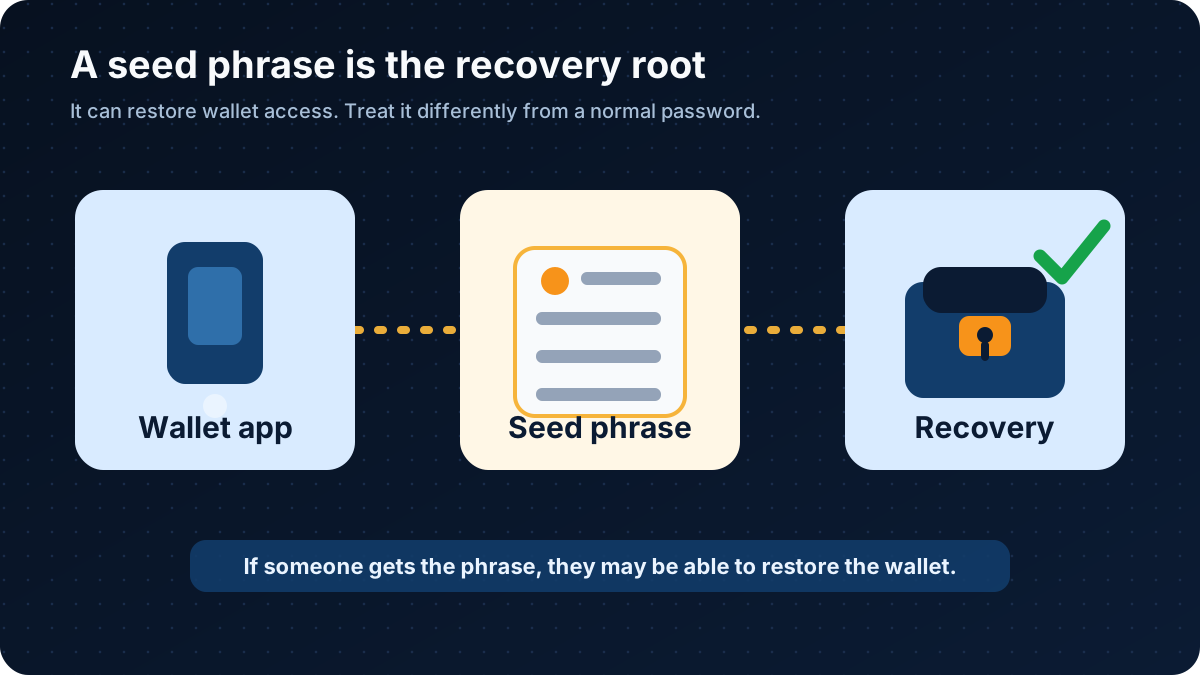
The seed phrase sits between wallet setup and wallet recovery. Anyone with it may be able to restore access.
The diagram shows the basic relationship: a wallet app helps create or manage the wallet, the seed phrase backs up the wallet's key material, and recovery uses that phrase to restore access. The words in the phrase are not valuable because they are poetic. They are valuable because they can rebuild control.
Why Losing a Seed Phrase Can Mean Permanent Loss
Bitcoin is not built around password reset emails.
If you use a custodial platform, the company may manage the wallet keys for you. In that case, you may have an account login, identity checks, withdrawal rules, and customer support processes. You may not receive a seed phrase from that platform.
If you use a self-custody wallet, the responsibility moves closer to you. The wallet may show you a recovery phrase because the wallet expects you to keep the backup.
That shift matters.
If your phone breaks, your laptop dies, or your wallet app is deleted, the seed phrase may be the way back in. If you do not have it, and the wallet was truly self-custody, there may be no central company that can recover the wallet for you.
This is not a drama tactic. It is the shape of the system.
Bitcoin transactions can also be irreversible. If someone uses your seed phrase to restore your wallet and send the bitcoin away, getting it back may not be possible. A police report, support ticket, or angry email does not reverse a valid on-chain transaction by itself.
That is why seed phrase safety sounds repetitive. It has to be repetitive. One casual screenshot can undo a lot of careful behavior.
How to Back Up a Seed Phrase Offline
The usual beginner goal is simple: keep the seed phrase offline, readable, private, and recoverable by you.
Offline means it is not stored in cloud storage, email, chat apps, screenshots, photo galleries, browser password managers, or online notes. Those tools are convenient because they copy information everywhere. A seed phrase is exactly the kind of information you do not want copied everywhere.
A basic offline backup process looks like this:
Write the seed phrase by hand during wallet setup.
Check the words and order carefully against the wallet screen.
Store the backup somewhere private and physically sheltered.
Consider a second backup in a separate secure location if loss, fire, water, or accidental disposal is a realistic risk.
Test your understanding with a wallet restore drill before holding an amount that would hurt to lose.
Some people use paper. Some use metal backup products designed to resist fire or water better than paper. SatoABC is not saying one method is universally right for everyone. The better question is: could you still read and use the backup when you actually need it, and could someone else find or copy it before then?
A recovery phrase backup is a small object with an absurd amount of responsibility packed into it. Treat it like something boring on purpose.
What Never to Do With a Seed Phrase
The unsafe behaviors are usually normal internet behaviors. That is why they are dangerous.
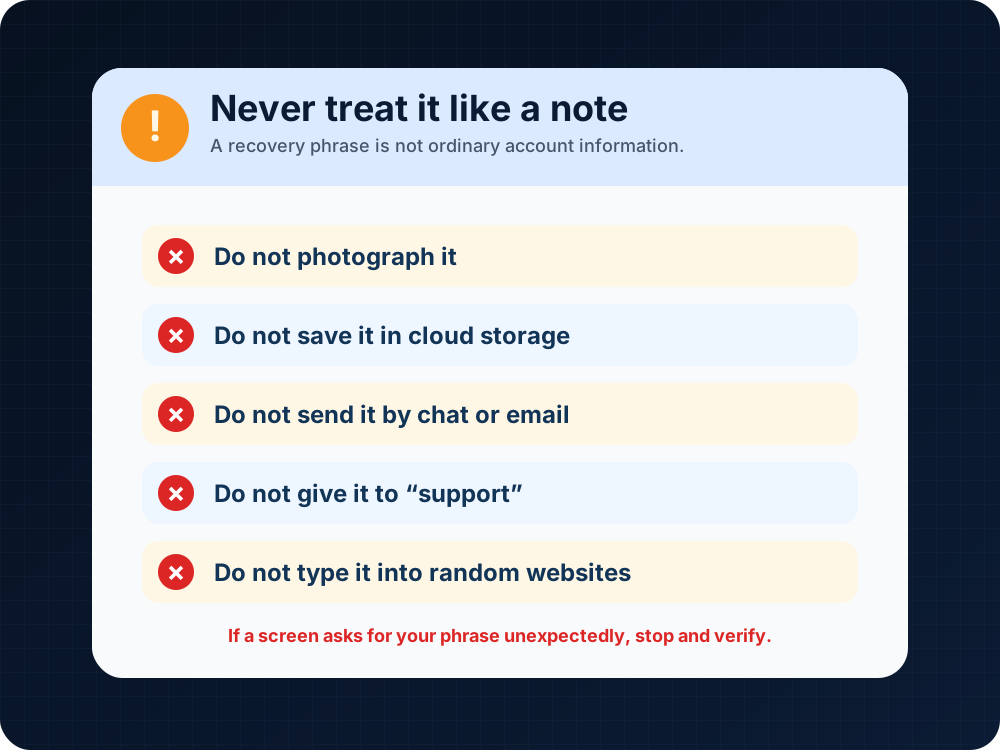
A seed phrase should not be handled like ordinary account information.
Do not photograph your seed phrase. Phone photos may sync to cloud storage, backups, shared libraries, or other devices.
Do not save it in Google Drive, iCloud, Dropbox, email drafts, chat apps, password notes, or browser tabs.
Do not send it to anyone who says they are support, an investment helper, a wallet recovery agent, an airdrop organizer, or a security checker.
Do not type it into a website just because the website looks urgent. Fake wallet recovery pages and phishing links often ask for the recovery phrase first because that is the prize.
Do not share your screen while the phrase is visible.
Do not keep the only copy in a place that can be thrown away by accident.
And do not use any example phrase from an article, video, forum, or social media post. A real wallet should generate its own recovery phrase through the wallet's official setup process.
Beginner Seed Phrase Checklist
Before you put real funds in a self-custody wallet, run through this checklist slowly:
It can restore wallet access. It is not just a login password.
I know what the seed phrase does.
Only the person responsible for that wallet should see it. No support agent, friend, website, or social media contact needs it.
I know who should see it.
The phrase is written or stored in a durable offline form, not saved as a screenshot or cloud note.
I have an offline backup.
The order matters. A phrase with the right words in the wrong order may not restore the wallet.
I checked the word order.
If I lose the wallet and the phrase, I may lose access permanently.
I understand the loss risk.
If someone else gets the phrase, they may be able to move the funds.
I understand the theft risk.
I will check the wallet's official help center before relying on a setup, backup, or restore process.
I know where to verify wallet instructions.
A small restore drill with an empty or low-value wallet can teach the process before the backup is needed for something serious.
I have practiced before stress arrives.
The checklist is not there to make wallet setup feel dramatic. It is there because wallet setup happens on an ordinary day, while wallet recovery usually happens on a bad one.
What If a Wallet Does Not Show a Seed Phrase?
Not every Bitcoin product gives the user a seed phrase.
Some exchanges and payment apps are custodial or partly custodial. They may use account logins, identity checks, withdrawal rules, and internal account recovery instead of giving you direct control of a wallet recovery phrase.
That does not automatically make the product good or bad. It means the responsibility is arranged differently.
With a custodial platform, you depend more on the platform's rules, security, availability, and support process. With a self-custody wallet, you depend more on your own backup discipline.
Before using any wallet or platform, check its current official documentation. Labels, recovery methods, regional availability, fees, and limits can change.
FAQ
Is a seed phrase the same as a password?
No. A password usually unlocks an app, device, or account. A seed phrase can restore a wallet. In many self-custody wallets, the seed phrase is more sensitive than the app password because it may recreate the wallet's keys.
Can someone steal Bitcoin with my seed phrase?
Yes, if the phrase controls a wallet with bitcoin and the attacker can use it to restore the wallet. That is why you should never share it, photograph it, upload it, or type it into untrusted websites or apps.
What happens if I lose my seed phrase?
If you still have working wallet access, you may have time to move funds to a new wallet with a new backup, depending on your wallet and situation. If you lose both the wallet access and the seed phrase in a self-custody setup, you may lose access permanently.
Can I change my seed phrase?
Usually, you do not simply edit an existing seed phrase like changing a password. Many wallets require creating a new wallet with a new recovery phrase, then moving funds to addresses controlled by the new wallet. Check your wallet's official documentation before attempting this, and be careful with fees, addresses, and transaction finality.
Is a recovery phrase the same as a mnemonic phrase?
In many beginner wallet contexts, "seed phrase," "recovery phrase," and "mnemonic phrase" are used to describe the word-based backup for a wallet. Exact terminology can vary by wallet. Follow the wording and instructions from your wallet's official documentation.
Should I store my seed phrase in a password manager?
For many beginners, the safer default is to keep the seed phrase offline rather than in any internet-connected tool. Some advanced users may have more complex security setups, but a beginner should understand the risk before putting a wallet recovery phrase into software that syncs, backs up, or can be accessed online.
Risk Disclaimer
This article is for education only. It is not financial, investment, tax, legal, or cybersecurity advice. Bitcoin and other crypto assets involve risk, including loss of funds, irreversible transactions, theft, user error, changing fees, and platform restrictions. Always verify wallet setup, backup, recovery, fees, limits, and availability using the wallet or platform's current official documentation before acting. Never share your seed phrase, private keys, wallet passwords, or login codes.
Editorial Attribution
Written by Alex Chen. Reviewed by Jordan Blake for factual accuracy, clarity, and beginner safety.